Ants Projects Hub ← All projects

Live

Contact List

LiveWINMACLNXLatest: v1.1.0

Contact List

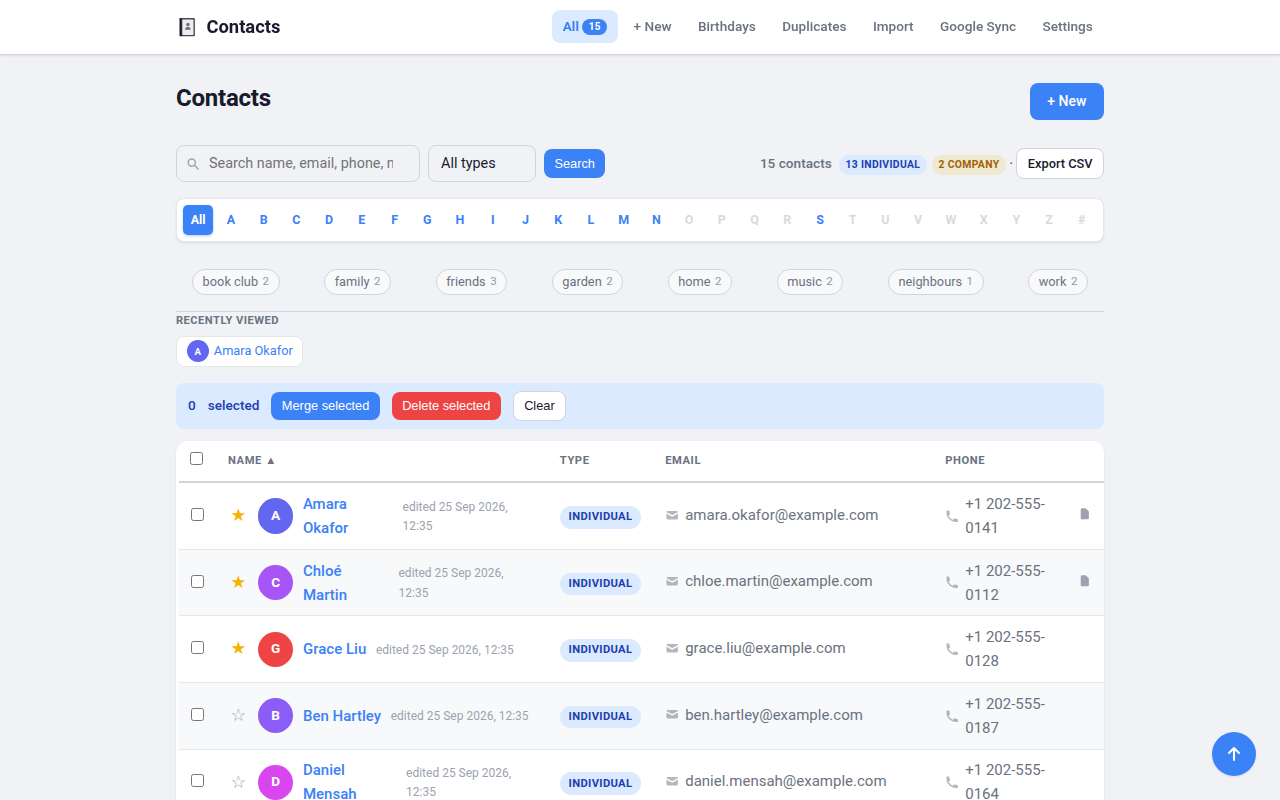
A lightweight, self-hosted contact manager. Store, search, and organise the people and companies in your life on your own computer — with optional two-way sync to your Google Contacts.

It runs as a small local web app at http://localhost:5002. Start it and it sits quietly in your system tray — click the icon and choose Open Contact List when you want the page. Everything lives in a single file on your machine, and nothing leaves your computer except the Google sync you choose to run.

  • 🔒 Private by design — localhost-only, your data stays on your machine.
  • 💻 Runs anywhere — one-file downloads for Linux, Windows, and macOS; no Python needed.
  • 🪶 Tiny — Flask + SQLite, no accounts, no cloud, no bloat.
Read the full guideShow less

Features

Your contacts

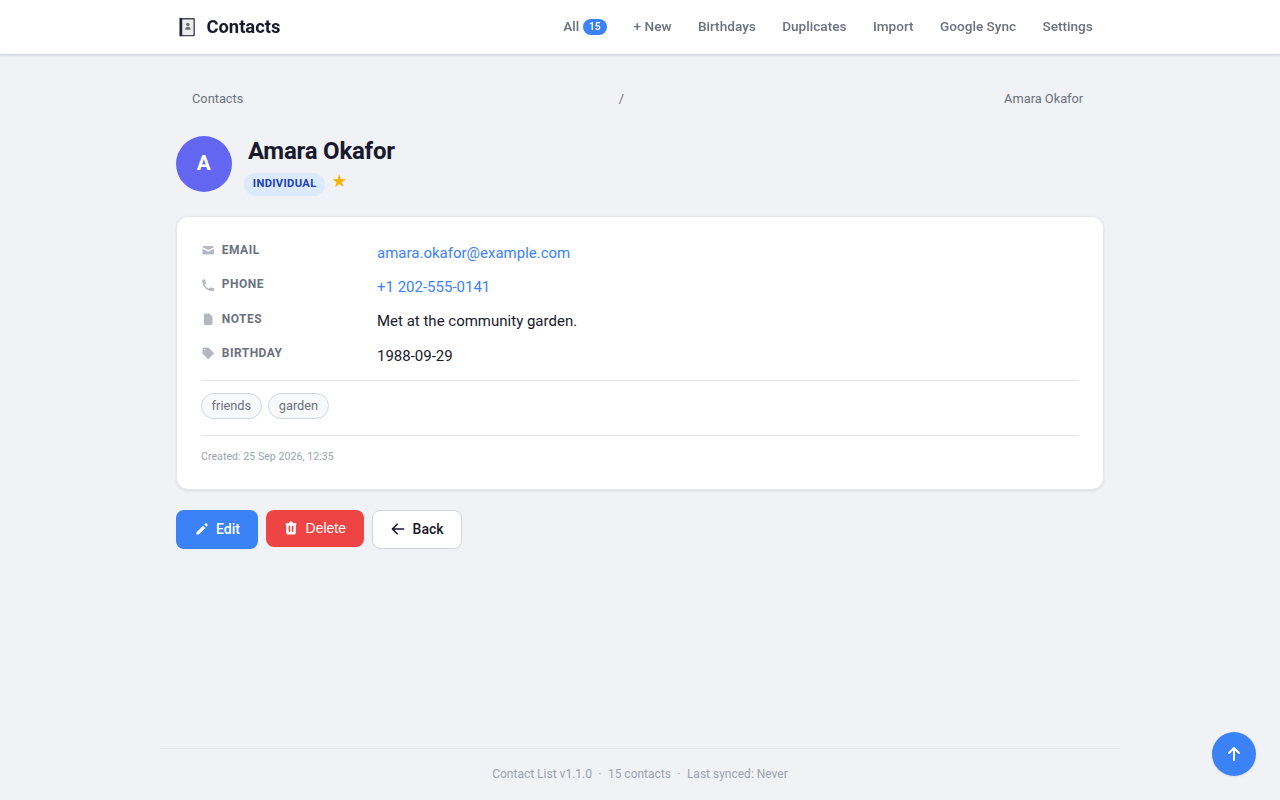
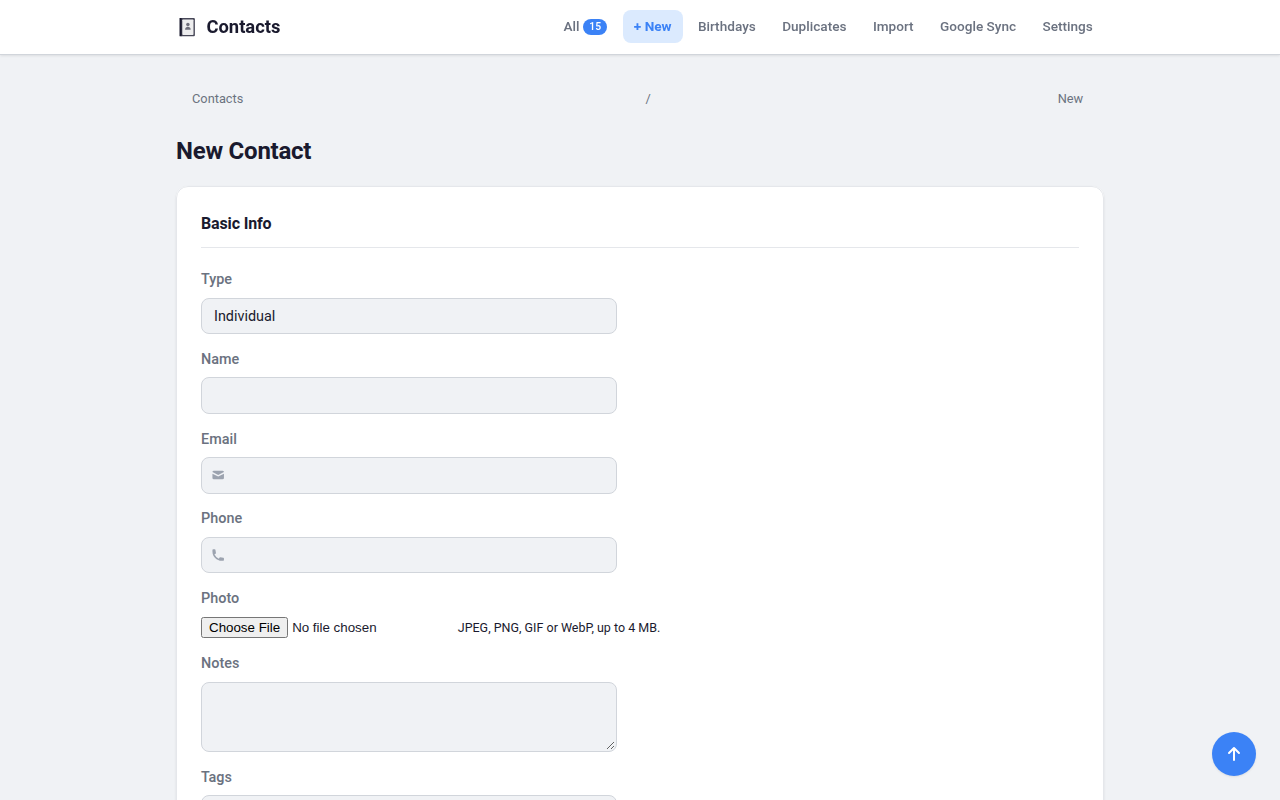
  • People and companies — names, multiple emails and phones, and free-form notes.
  • Photos & avatars — upload a photo, or let Google sync pull one in; a coloured initial is shown otherwise.
  • Custom fields — add your own fields (birthday, address, anything) to any contact, no setup needed.
  • Tags / labels — group contacts with free-text labels like "family", "work", "gym", and filter the list to any combination of them.
  • Favourites — star the people you contact most to pin them to the top.

Finding and organising

  • Fast search — by name, email, phone, notes, and custom-field values.
  • Filter, sort, paginate — by contact type, first letter, or tag.
  • Duplicate detection & merge — find likely duplicates and combine them field-by-field with nothing lost.
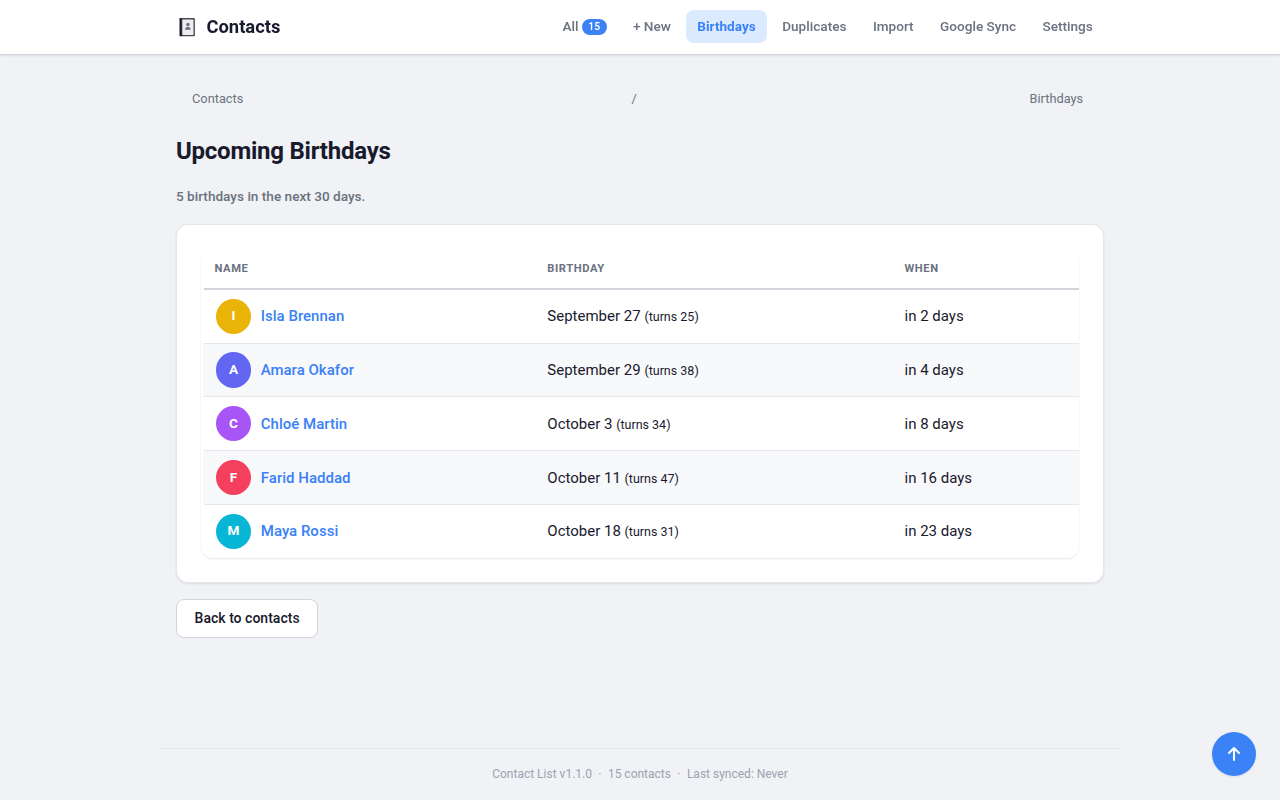
  • Upcoming birthdays — a page listing whose birthday is coming up (and the age they'll turn).

Import / export

  • CSV — import with a column-matching screen that remembers your choices, and export everything.
  • vCard (.vcf) — import and export standard vCard files (custom fields round-trip).

Google Contacts sync (optional)

  • Two-way — pull your Google contacts in, and push local edits and new contacts back; newest edit wins on conflicts. Deletions are never pushed. See the setup below.

Make it yours

  • Settings page — timezone and date format, light/dark/colour themes, compact or roomy layout, list or card view, default phone region, contacts per page, and default sort — all remembered.

Under the hood

  • Security-first — parameterized SQL, CSRF protection, autoescaped templates, and a strict Content-Security-Policy. Binds to localhost only.
  • Light footprint — Flask + SQLite, vanilla HTML/CSS/JS, no build step, no ORM, no JS framework.

Get started

Option 1 — Download and run (easiest, no Python needed)

Grab the file for your operating system from the Releases page — each one is completely self-contained, so there's nothing else to install.

Your OS Download How to run it
Linux Contact-List-x86_64.AppImage Make it executable (chmod +x) and double-click, or run it from a terminal.
Windows Contact-List.exe Double-click. If SmartScreen warns about an unknown app, choose More info → Run anyway.
macOS (Apple Silicon — M1/M2/M3 or newer) Contact-List.dmg Open it, drag Contact List to Applications, then launch. The first time, right-click → Open to get past Gatekeeper. Intel Macs aren't supported by this build.

Your contacts, photos, and settings are stored privately under ~/.config/contact-list/. To use Google sync you'll also add your own credentials.json there — see Google Contacts sync.

Starting the app puts a small system-tray icon near your clock and otherwise stays out of your way — it does not throw a browser tab at you. Click the icon for Open Contact List, Restart, and Quit: a persistent control point that doesn't depend on having a browser tab open. Launching the app a second time while it's already running also just opens the page.

Where a desktop has no system tray at all (GNOME, unless you've added an AppIndicator extension), there'd be no icon to click — so in that case the app opens your browser on startup instead, rather than leaving you with no way to reach it.

Option 2 — Run from source (for developers)

Requirements: Python 3.12 or newer.

Linux only — for the tray icon, also install the system GTK/AppIndicator packages. They can't come from pip (PyGObject has no binary wheel), so run.sh builds its virtual environment with --system-site-packages to borrow the system's copies. Without them everything still works; you just get no icon.

# openSUSE (python313 → match your system Python's version)
sudo zypper install python313-gobject typelib-1_0-Gtk-3_0 typelib-1_0-Gio-2_0 \
    girepository-1_0 typelib-1_0-AyatanaAppIndicator3-0_1 libayatana-appindicator3-1

# Debian / Ubuntu
sudo apt install python3-gi gir1.2-gtk-3.0 gir1.2-glib-2.0 gir1.2-freedesktop \
    gir1.2-ayatanaappindicator3-0.1 libayatana-appindicator3-1 libgtk-3-0

Downloaded releases need none of this — the AppImage carries its own copy.

git clone https://github.com/milnet01/contact-list.git
cd contact-list
./run.sh

run.sh creates a virtual environment, installs/updates dependencies on each launch, and starts the app (via launcher.py, which shows the tray icon; it opens no browser unless the tray is unavailable). Or do it by hand:

python3 -m venv venv
source venv/bin/activate
pip install -r requirements.txt
python app.py

Configuration

All settings are read from environment variables, with sensible defaults:

Variable Default Description
SECRET_KEY random per run Flask session signing key. Set it to keep sessions stable across restarts.
CONTACT_LIST_DB contacts.db next to the app (source) / under ~/.config/contact-list/ (downloaded app) Path to the SQLite database file.
PORT unset Port for an external process manager to bind. Must be an integer 1024–65535; anything else is a startup error (the app exits non-zero rather than silently using another port). Overrides CONTACT_LIST_PORT. Unset or empty means "not supplied" and changes nothing.
CONTACT_LIST_PORT 5002 Port the local server listens on.
LWSM_MANAGED unset Set to 1 to run without the system-tray icon (headless, logging to stdout). Anything else, including unset, shows the tray as normal. A presentation hint only — it grants nothing and changes nothing else.

The database is created automatically on first run and is never committed to the repository.

Google Contacts sync (optional)

Syncing with Google needs your own Google Cloud OAuth credentials — the app never ships with any:

  1. In the Google Cloud Console, create a project and enable the People API.
  2. Create OAuth 2.0 client credentials of type Desktop app and download the JSON.
  3. Save it to ~/.config/contact-list/credentials.json.
  4. Open the app's Sync page and connect — a browser window will ask you to authorise access.

Your access token is stored at ~/.config/contact-list/token.json with 0600 permissions, never in the database or the repository.

Two-way sync. The app requests the read-write scope (contacts) so it can send your changes back: local edits to synced contacts, and brand-new local contacts (which become new Google contacts). When both sides changed the same contact since the last sync, the newest edit wins. Deletions are not pushed — deleting a contact here leaves it on Google. If you previously connected with the old read-only permission, the Sync page will ask you to reconnect.

Running the tests

python -m pytest tests/ -v

./local-ci.sh runs the exact checks GitHub CI does (ruff, mypy, and the test suite across Python 3.12 and 3.13) — handy before pushing.

Project layout

launcher.py       Entry point for the packaged apps AND ./run.sh (starts server, runs the tray icon)
app.py            Flask app factory; headless server when run directly (python app.py — no tray)
config.py         Environment-based configuration
db.py             SQLite connection management
models.py         Data access layer (plain functions, no ORM)
resources.py      Locates bundled files whether run from source or frozen
google_sync.py    Google People API integration
google_auth.py    Standalone OAuth helper
settings.py       Per-user preferences
routes/           CRUD, sync, import/export, settings routes
templates/        Jinja2 server-rendered views
static/           CSS and minimal JavaScript
migrations/       Sequential SQL schema migrations
packaging/        PyInstaller spec + per-OS build scripts (AppImage / .exe / .dmg)
tests/            Unit and route tests
DESIGN.md         Full design document and standards

See DESIGN.md for the architecture, data model, and security/efficiency standards in detail.

License

MIT

See the release on GitHub.

All releases on GitHub →